Blox Fruits Calculator Trade Value Checker (Win, Fair or Lose)
Add what you give and what you get, and see in one second if the trade is a win, fair or a loss.

By the Blox Fruit Script Team · Last checked: November 2, 2026
The calculator uses the same values as our value list. We update both on the same day.
A calculator only compares values. Always check the items in the trade window before you accept.
Add what you give on the left and what you get on the right. The calculator totals both sides and calls the trade a Win if you get more than 10% more value, Fair if the sides are within 10% of each other, and Lose if you give more than 10% extra.
Value lists tell you what one item is worth. A trade usually has several items on each side, plus permanent fruits and gamepasses, and that is where people get it wrong.
This calculator does the adding for you with November 2026 values, then explains how the result works and how to use it safely.
Last updated November 2, 2026. 89 items, including 9 gamepasses.
We ran six sample trades through the calculator, such as Kitsune for Magnet plus Gas, and added every total by hand to check them. The calculator matched each one. Its values come from our value list, checked on November 2, 2026.
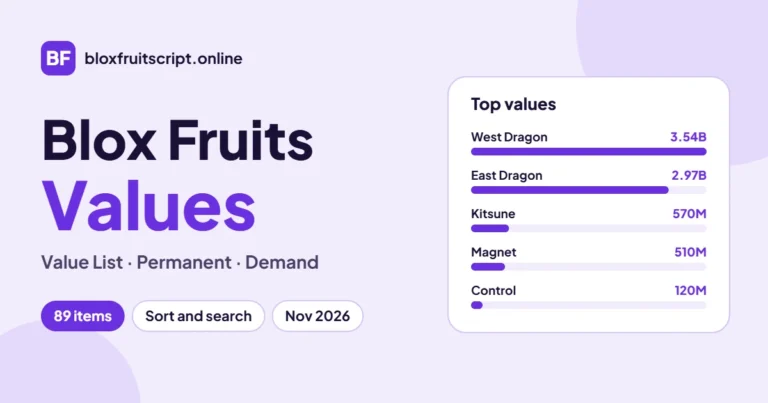
Tick Permanent before adding a permanent fruit. It changes Kitsune from 570M to 5.16B. How it changes the result
Table of contents11 sections
Blox Fruits Trade Calculator
Pick an item, tick Permanent if it is a permanent fruit, and press Add. Do this for both sides. The calculator uses the same values as our Blox Fruits values list (89 items, updated November 2, 2026).
You give
Total: 0
You get
Total: 0
How to Use the Blox Fruits Calculator
- Under You give, choose the first item you are offering and press Add.
- Tick Permanent before you press Add if the fruit is a permanent one. Items without a permanent value use their normal value.
- Add the rest of your side, then do the same under You get.
- Read the result: Win, Fair or Lose, with how far apart the sides are.
- Remove an item with its Remove button, or clear both sides to start over.
How Win, Fair and Lose Are Decided
| Result | Rule | Example |
|---|---|---|
| Win | You get more than 10% above what you give | You give 100M and get 120M |
| Fair | The two sides are within 10% of each other | You give 100M and get 95M |
| Lose | You give more than 10% above what you get | You give 120M and get 100M |
The 10% band is there because values are estimates. A trade a few million apart is close enough that demand and how fast you want the item matter more than the number.
Example Trades Checked With the Calculator
We ran these trades through the calculator and checked each total by hand. All use normal (not permanent) values.
| You give | You get | Result |
|---|---|---|
| Kitsune (570M) | Magnet + Gas (570M) | Fair (0% apart) |
| Dough (30M) | Venom (25M) | Lose (17% apart) |
| Gas (60M) | Tiger (100M) | Win (40% apart) |
| Control (120M) | Dough + Gas (90M) | Lose (25% apart) |
| Buddha + Portal (20M) | Venom (25M) | Win (20% apart) |
| 2x Mastery (390M) | Kitsune (570M) | Win (32% apart) |
Kitsune for Magnet plus Gas comes out exactly even at 570M on each side. A single gamepass like 2x Mastery (390M) for Kitsune (570M) is a clear win for the person getting Kitsune.
Normal vs Permanent Fruits in the Calculator
A permanent fruit is worth many times more than the normal one. Permanent Kitsune is about 5.16B against 570M for the normal fruit. If you forget to tick Permanent, the calculator will show a huge loss or win that is not real.
Only 17 fruits have a permanent value in our data. For the rest, ticking Permanent keeps the normal value.
Blox Fruits Trade W or L: Reading the Result
Fair is often good enough
If you want the item for your build, a fair trade is a good trade. Do not chase a win on every deal.
Check demand on a win
A big win made of low demand items can be hard to trade on later.
Overpaid items count extra
Items marked Overpaid on the value list usually trade above their number, so a small loss on paper may be fine.
Unstable items need a recheck
Look at the value list again on the day for anything marked Unstable.
Blox Fruits Calculator vs Dark Kitsune, Gamersberg and Traderie
Calculators on Gamersberg, Traderie, Dark Kitsune and other sites each use their own values. One site can call a trade a win while another calls it fair. That does not mean either one is broken.
Use one calculator for both sides of a trade, and compare against the value list it is based on. Ours uses the values on our value list page, so the two always agree.
Is There a Blox Fruits Calculator App?
You do not need one. This calculator runs in the browser on any phone, tablet or PC and is free with no sign up. Apps on the Play Store and App Store work the same way, but each uses its own value list, so the W or L they show can differ from ours.
Blox Fruit Trade Checker: Before You Accept
- Check that the other player puts the exact items you agreed on in the trade window.
- Look at Permanent vs normal. Scammers sometimes swap a permanent fruit for the normal one.
- Never send gamepasses or items outside the trade window first.
- If a trade looks too good, run it through the calculator again and check the item names.
Frequently Asked Questions (FAQs)
How does the Blox Fruits calculator work?
It adds up the trade value of every item on each side and compares the totals. Within 10% is Fair, more than 10% in your favour is a Win, and more than 10% against you is a Lose.
Is the Blox Fruits calculator free?
Yes. It runs in your browser with no sign up.
Where do the calculator values come from?
From our Blox Fruits value list, built on Blox Fruits Values and BloxFruitsCalc, last checked November 2, 2026.
Does the calculator include permanent fruits?
Yes. Tick Permanent before you press Add. 17 fruits have a permanent value.
Can I add gamepasses and skins?
Yes. All 9 gamepasses and the limited skins on the value list are in the calculator.
Why does another calculator say W when this one says Fair?
Each site uses its own values. Use one calculator for both sides of the trade.
Conclusion
Add both sides, tick Permanent where it applies, and treat Fair as a good result when you want the item. Check demand and status on the value list for anything that looks too good. Values in this calculator were last updated on November 2, 2026.
We play Blox Fruits and run each script on this page in a live server before it goes on the list. After every game update we test the list again and pull anything that breaks.